How we built three Romanian iOS games
How we built Pe Lângă, Cine sunt? and Impostor: three Romanian games with different rules, native interfaces and ways to play together on iPhone and iPad.
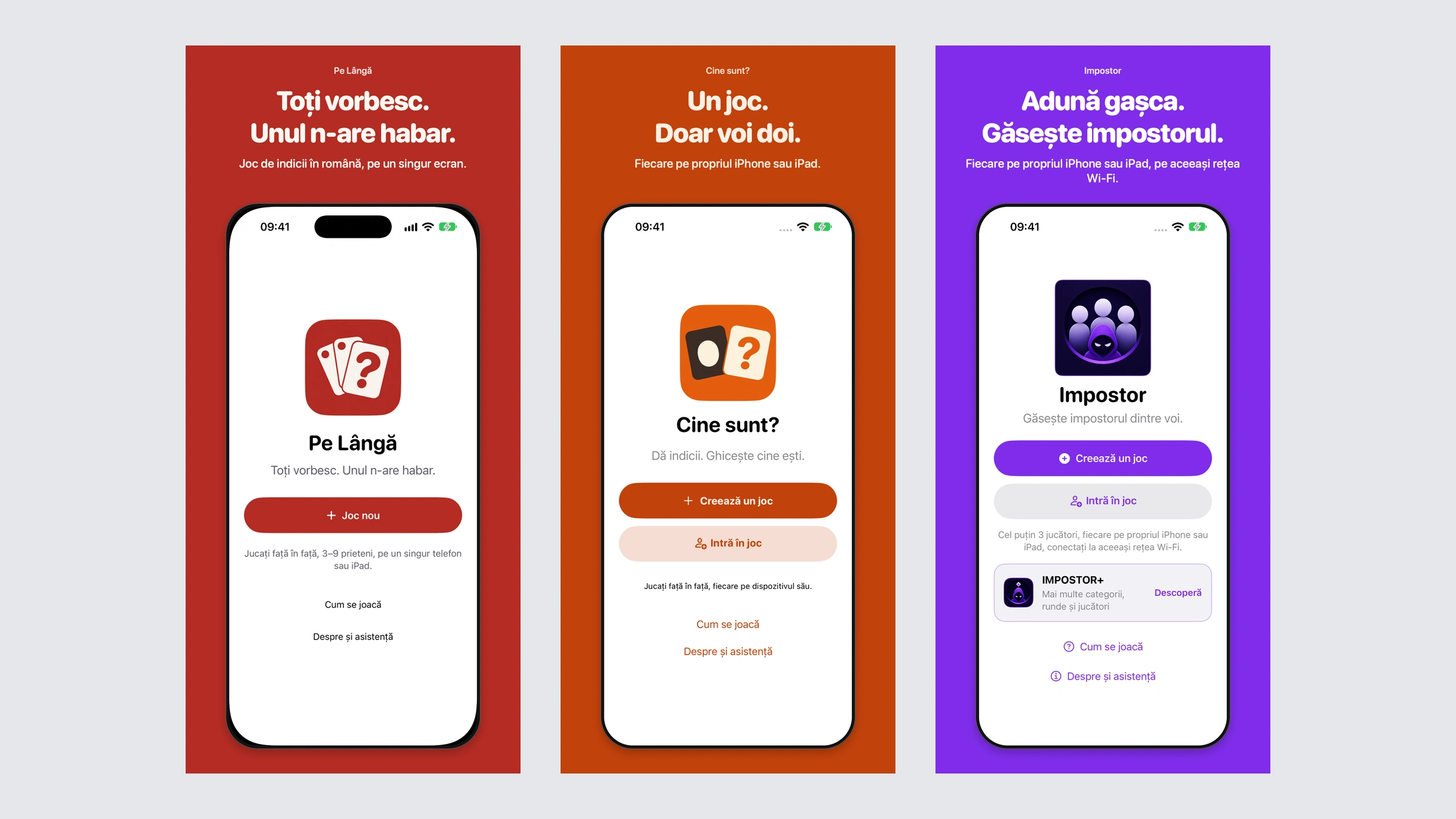
Pe Lângă, Cine sunt? and Impostor share a setting: people are together, talking, and trying to work out what someone else knows. We built all three as native Romanian-language games for iPhone and iPad. Their interaction models are deliberately different, and those differences shaped the interfaces, rules engines, networking and release artwork.
In Pe Lângă, one device travels around the group. In Cine sunt?, two people each hold a device and give one another clues. In Impostor, everyone answers a private question on their own device before comparing responses and voting. Understanding those three loops explains both how to play and the most useful lessons from developing them.
Three games, three ways to sit together
| Game | Players and devices | The central question | Connection |
|---|---|---|---|
| Pe Lângă | 3–9 people sharing one iPhone or iPad | Who never received the word? | Entirely offline |
| Cine sunt? | Exactly two, each on their own device | Which identity am I? | Nearby Wi-Fi Aware connection |
| Impostor | Three in Free; larger groups with Impostor+ | Who answered a different question? | Everyone on the same Wi-Fi network |
All three require iOS or iPadOS 26.6 or later. Cine sunt? also requires Wi-Fi Aware compatible hardware; the operating-system version alone does not establish compatibility. All three apps use Romanian for their interfaces and game content.
Pe Lângă: the secret travels with the phone
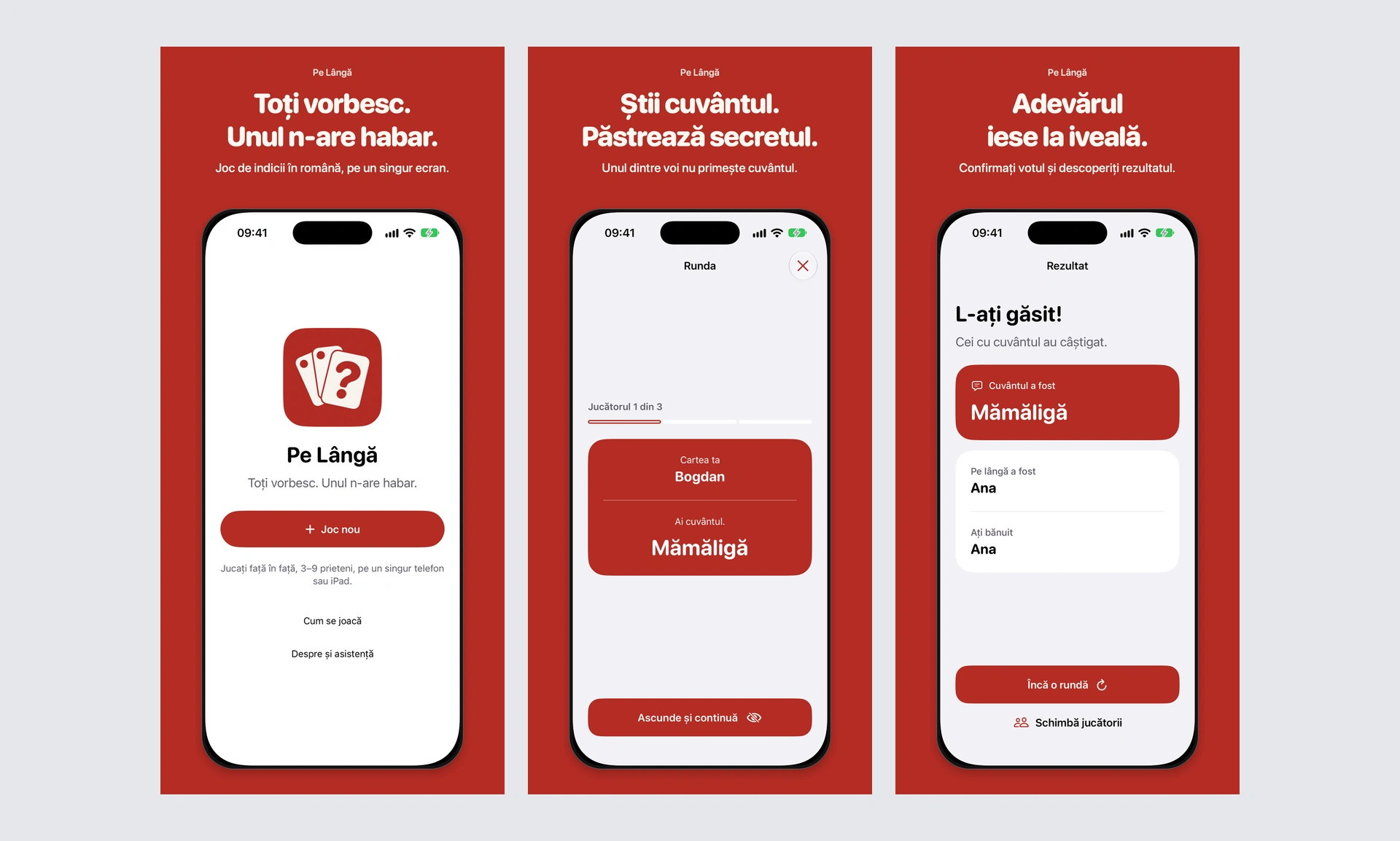
Pe Lângă starts with three to nine names, a category or the combined library, and an optional discussion timer. The available settings are no timer, one, two or three minutes; three minutes is the default. Its 720 Romanian words and short phrases are divided evenly across 12 categories, including food, animals, objects, places, professions and leisure.
The app selects one word, chooses exactly one player who will receive no word, and sets the order for handing over the device. Everyone else receives the same word. Each person explicitly opens their private card, reads it, then hides it before passing the phone or iPad. A completed card cannot be reopened later in that round.
Once the final card is hidden, discussion begins and the selected timer starts. Players give a clue in the displayed order without saying the word. The person who did not receive it has to improvise, drawing on what everyone else says. The app provides the order; the group handles spoken turns.
The group eventually agrees aloud on one suspect. Entering the accusation stage stops the timer and ends discussion. Select the suspect and confirm. If that person is the player without the word, the word-holders win. Otherwise, the player without the word wins. Results reveal the word, that player and the selected suspect. There are no individual ballots, eliminations or final word-guess stage.
The timer supports the conversation without making its decision. Expiry does not automatically select a suspect or reveal the outcome. A replay preserves players and options, draws another round and excludes the previous word when alternatives exist; the same person can receive the hidden role again.
This handoff made private information part of the interface’s structure. Hiding a card removes its content immediately. When the app becomes inactive, it conceals the card and pauses the timer; returning does not automatically uncover the secret or resume discussion. That lifecycle behaviour matters when a phone is being physically passed between people.
The warm red, cream lettering and three-card symbol carry into the App Store compositions. The images pair real screens with short explanations of private cards, discussion and results. Pe Lângă has no accounts, advertising or purchases. Only the timer preference persists; players, roles and rounds remain in memory.
Cine sunt?: see their identity, discover your own
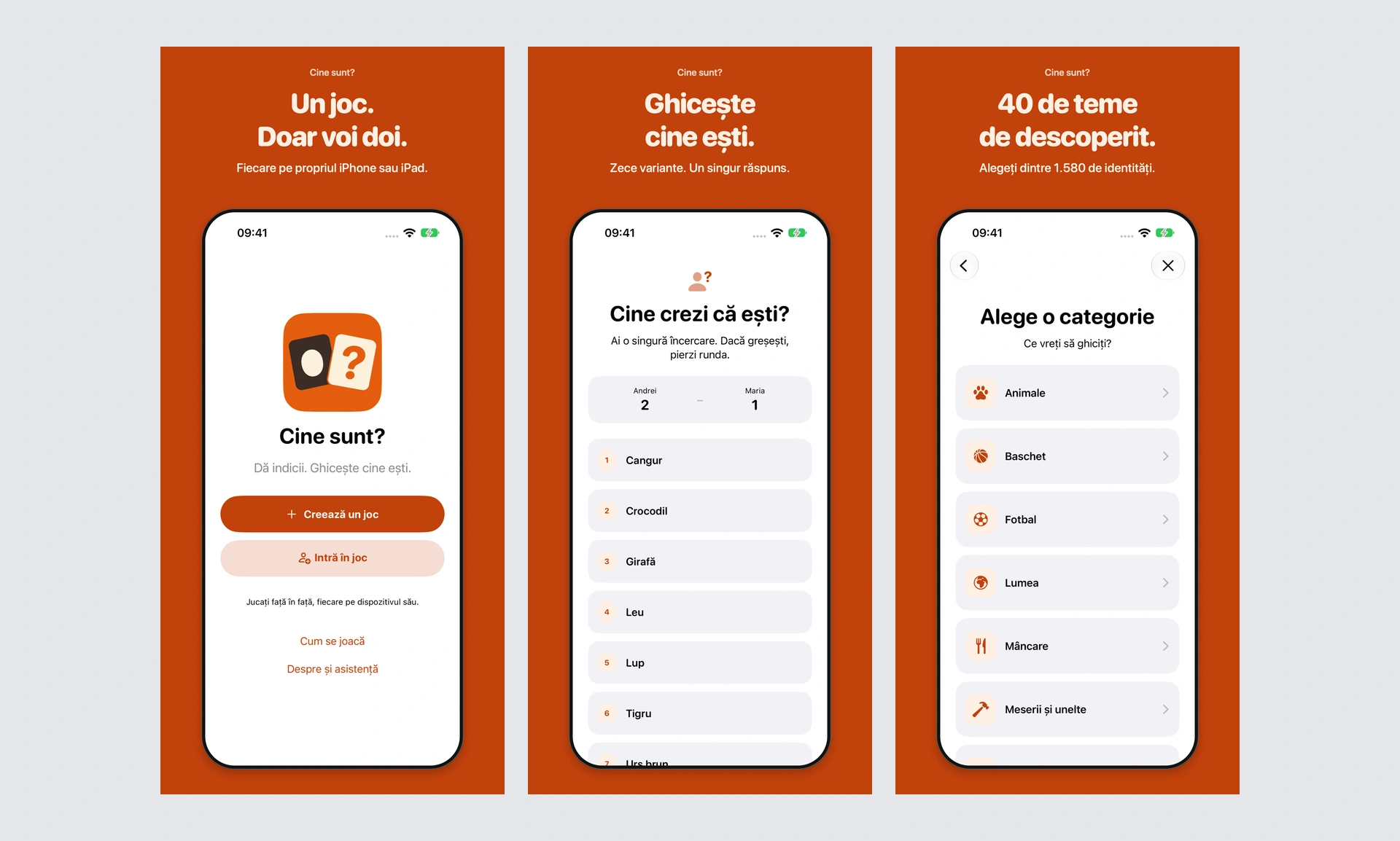
Cine sunt? is for exactly two nearby players, each using a compatible iPhone or iPad. One creates the game, enters a name and chooses a theme; the other joins. The host starts when both are connected and participates as a normal player.
Each screen shows the other person’s assigned identity. Give clues for that identity without saying the answer, and listen to the clues they give for yours. The two assignments are different. There is no phone-on-forehead interaction, tilt gesture or visible round countdown. The conversation happens face to face, without generated or recorded clues.
Either player can choose “Arată variantele”. That opens both answer lists together, with ten choices for each person’s own identity. Each list contains one correct answer and nine alternatives from the same theme. Choose one, confirm it, and the answer is locked.
A wrong answer loses the round immediately and gives the opponent one point. The first correct answer earns a point, with a precise draw rule: if the other correct answer reaches the host within half a second, both players receive one point. That interval is measured by the host when answers arrive. It is not a half-second limit for thinking or a guarantee that network latency disappears.
Results reveal both identities, submitted answers and the running score. Both players choose the next round to continue. The host can change the theme between rounds while retaining the score, after which both confirm readiness again. A new game resets the score and assignment history.
The catalogue contains 1,580 identities across 40 themes and 12 broad categories. These include animals, geography, food, music, sport, objects and characters. Before choosing a theme, players can open its description and complete answer list. During the session, assigned identities avoid repeating within that theme until fewer than two unused answers remain. Switching away and back preserves the theme’s history.
The technical challenge is that the host knows the complete game state but is also a player who must not see their own answer. We separated that state from the information shown to each player. Both interfaces receive the information appropriate to their role in the round. The orange and cream presentation reinforces ownership by placing the other player’s name directly above the large identity.
The game is free, without accounts, ads or purchases. Names, answers and scores stay in session memory on the participating devices. Gameplay needs no internet, but both devices must support the local Wi-Fi Aware connection and keep the app open.
Impostor: one question is different
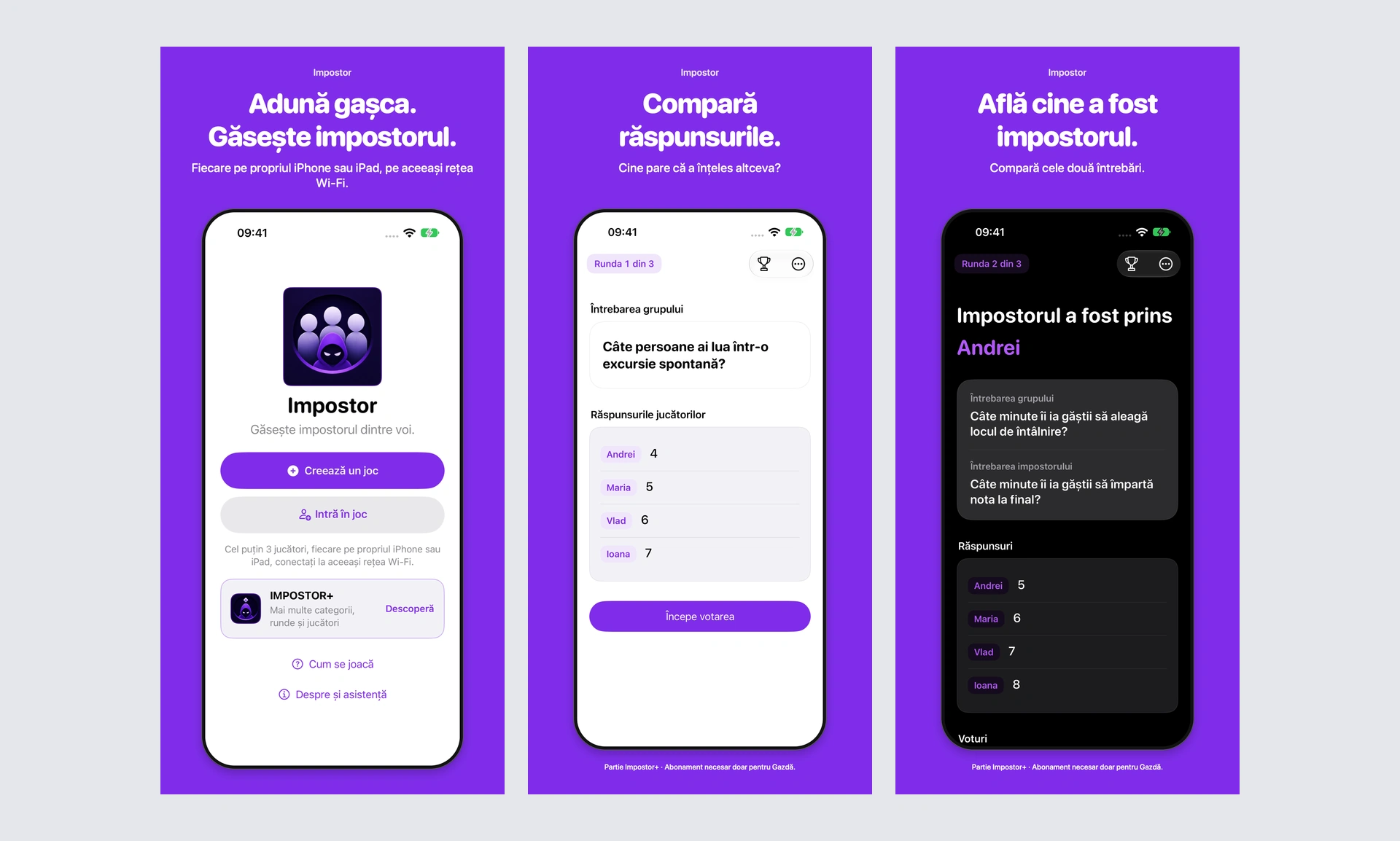
Impostor’s artwork follows the progression from private question to public discussion and voting.
Impostor gives everyone their own screen. Players join a named host while connected to the same local Wi-Fi network. The host chooses the topic and number of rounds before starting, then controls the transitions. The host also answers, votes, earns points and can be selected as the impostor.
Each round selects a pair of related questions. Everyone except one player receives the group question; the impostor receives the other. Players are not explicitly told which role they have. Each privately submits a short answer of one to 40 characters. Accepted answers are locked, while the host sees completion progress rather than the other players’ answers.
Once everyone has answered, the host reveals the group question and all named responses. Now the group compares them and discusses why someone’s answer feels unusual. The impostor’s identity and alternative question remain hidden at this stage.
The host then starts voting. Everyone selects exactly one other active player, with no self-vote and no changes after submission. Individual votes and totals stay hidden while voting is underway. After all votes arrive, the host reveals the results.
The impostor is caught only if they receive strictly more votes than every other player. When caught, each other player earns one point. If the impostor escapes, they earn two points and everyone else earns zero. A tie involving the impostor therefore means escape. Results show the identity, both questions, answers, vote totals and awarded points. Scores accumulate through the configured rounds, followed by a final ranking.
There are no answer, discussion or voting timers. The group and host set the pace. Free play is a complete three-player game with 75 question pairs in “De toate” and up to five rounds. The optional weekly, automatically renewing Impostor+ subscription adds larger groups, all ten topics and games of up to 20 rounds. Only the host needs it. The full library has 576 question pairs; “Fără filtru” carries an 18+ content warning. Current prices and any trial eligibility belong to the in-app offer.
Unlike Pe Lângă’s shared device, Impostor needs each participant connected locally. Free gameplay does not require internet, while App Store purchases and restoration need connectivity. There is no developer-run game server or account system. Answers and votes travel between the devices participating in the game.
What we learned from building the rules
Across the three projects, separating rules from presentation made the important decisions explicit. Pe Lângă needs exactly one no-word card and an irreversible private handoff. Cine sunt? needs recipient-specific answer visibility and a defined draw boundary. Impostor needs staged disclosure, private voting and unambiguous scoring when votes tie.
Those rules become useful test cases. Cine sunt? tests the difference between answers arriving at 499, 500 and 501 milliseconds. Pe Lângă’s catalogue review exercised every authored word through both category and combined pools, checking complete rounds. Impostor checks the transition from private responses to revealed answers and results. A screen that looks plausible is only one part of a working game.
Content also behaves like application logic. In Cine sunt?, nine alternatives must fit the selected theme. In Impostor, paired questions must invite compatible answer shapes while remaining meaningfully different. Our October question review reduced the original 600-pair library to 576 by retiring 24 pairs and revising others. Editorial review and automated checks help expose problems; they do not establish that every group will find a question balanced or funny.
Native design, physical checks and honest artwork
The apps share SwiftUI and native interaction conventions, while red, orange and purple keep their identities distinct. Rounded typography, clear controls and generous spacing make the current question or clue easy to locate. Text scaling, semantic colours and reduced-motion preferences are part of implementation rather than separate decorative modes.
Different kinds of verification answer different questions. A prepared simulator scene can show whether a result screen fits and explains the score. It cannot prove nearby networking. For Impostor, a documented three-device, two-round physical session checked matching results and recovery through Wi-Fi interruptions, including preservation of an accepted answer. That evidence has a specific scope; it does not establish every possible device or group configuration.
We kept the same distinction in the release imagery. The compositions use real app screens, including prepared gameplay examples that make each stage easy to follow. The device frames and headlines sit around the screenshots. They explain existing interactions without inventing controls. Impostor’s four-player examples retain their notice that they depict an Impostor+ game requiring a subscription only for the host.
Preparing software, testing a game and obtaining public App Store approval are separate steps. Our project pages bring the work together: the actual rules, native interfaces, release artwork and practical device requirements. Each game gives the people in the room a different way to play, while the app handles the information and decisions that need precision.