From prototype to App Store: what iOS app development actually involves
A practical guide to iOS prototyping, architecture, privacy, accessibility, testing, TestFlight, App Review, and responsible release planning.
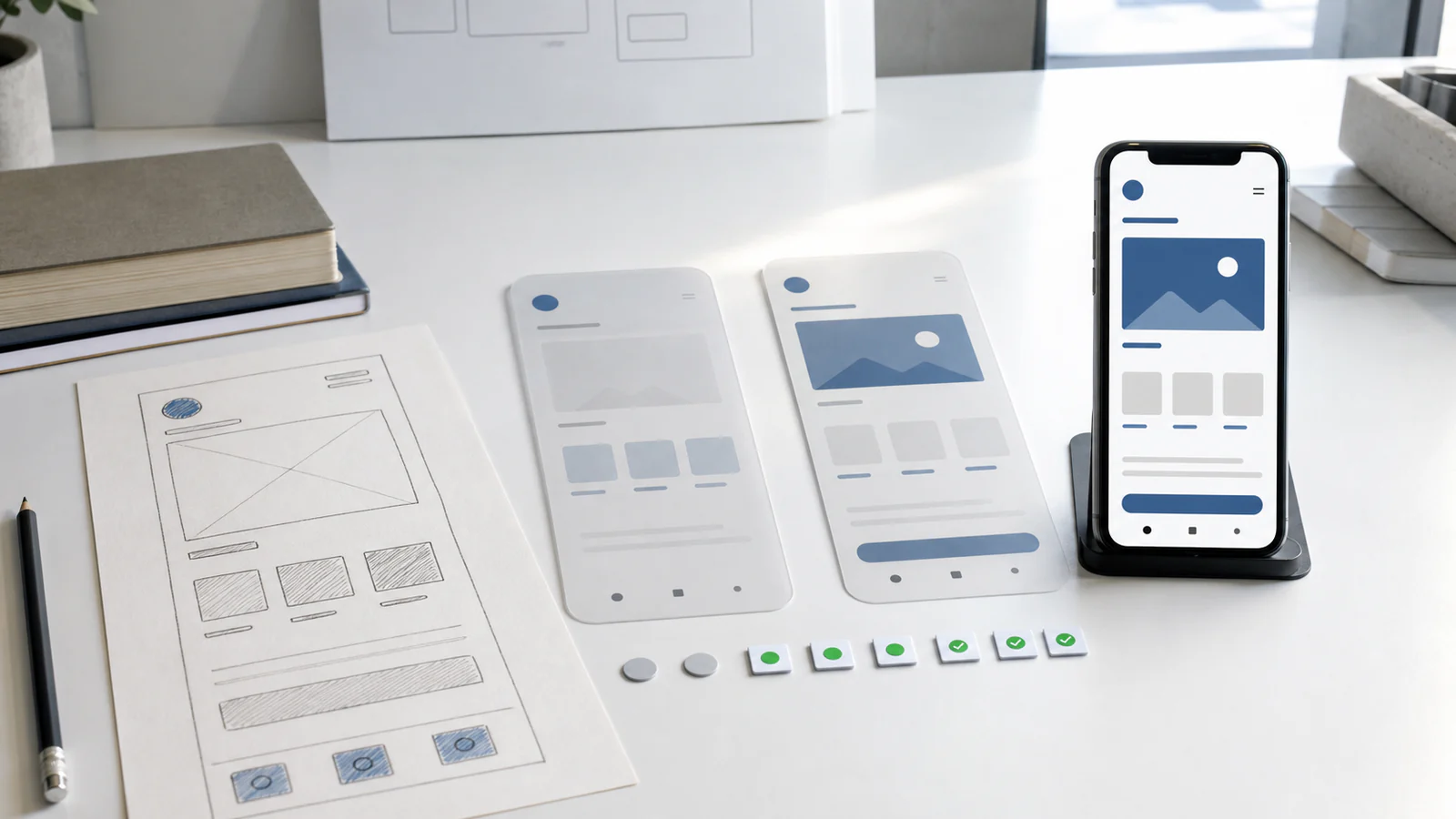
An iOS app can look convincing long before it is ready for customers. A clickable prototype may explain the central idea. A SwiftUI build may run smoothly in Simulator. A TestFlight version may reach a small group without serious complaints. Each is useful evidence, but none proves the next stage automatically.
For a business owner, this distinction matters because the visible screens are only one part of the product. A dependable app also needs clear rules, an appropriate architecture, deliberate data handling, accessible interactions, tests, physical-device evidence, App Store materials, reviewer access, support, and a plan for updates after launch.
If you are still deciding whether an installed product is justified, begin with our guide to when a business actually needs an iOS app. Once the recurring need is clear, the development process can move from uncertainty to evidence in controlled steps.
Define the product before listing screens
The first useful document is not a technical specification. It is a concise product brief: who the app serves, which recurring task it improves, what a successful outcome looks like, what the first version excludes, and who will operate it after release.
For a field-service app, the central loop might be receiving a job, finding the location, recording work, obtaining approval, and synchronising the result. For a membership app, it could be identifying the member, showing an entitlement, recording its use, and presenting the updated balance. These loops are specific enough to test. “A modern app with profiles, notifications, chat, rewards, and AI” is not.
Decide the business model early as well. Free access, a paid download, subscriptions, physical-service payments, and business-only distribution create different interface, account, review, and support requirements. Apple’s Developer Pathway describes a design cycle of defining, prototyping, testing, validating, and iterating, and notes that the business model can influence design decisions.
Write down the non-goals. If the first release will not include Android, offline editing, team administration, or data import, make that visible. An explicit exclusion is safer than a silent assumption that appears halfway through development.
Finally, choose evidence thresholds. A pilot might need to show that invited users can complete the main task without assistance, that data survives an interrupted connection, or that a technician saves a measurable number of manual steps. Downloads and screen views are weaker signals than completed valuable work.
Use the prototype to answer questions cheaply
A prototype should reduce the most expensive uncertainty before the team builds the whole system. It can test whether people understand the navigation, whether the core action is worth repeating, where they hesitate, and whether the proposed terminology matches the way they describe their work.
Not every prototype needs code. A linked design can be enough to compare two flows or rehearse a first session. A narrow technical prototype is more appropriate when the risk lies in Bluetooth communication, camera capture, background work, local machine learning, a complex animation, or an unfamiliar service integration.
Keep the claim proportional to the prototype. A design prototype can validate comprehension; it does not validate network reliability. A technical experiment can show that one API works under selected conditions; it does not prove that the product is accessible, maintainable, or ready for review. Throwing experimental code into production merely because it already exists often preserves shortcuts that were acceptable only while learning.
Test the less pleasant paths at this stage too. What happens when a person denies a permission, loses connectivity, enters incomplete data, leaves the app midway through a task, or returns after several days? A product that considers only the ideal journey is still missing much of its real interface.
Choose the Apple-platform scope deliberately
“An iOS app” is not yet a complete platform decision. Does the product need portrait and landscape? Is iPad a first-class working device or merely compatible? Which iPhone generations and operating-system versions matter to the audience? Does a feature depend on hardware that some supported devices lack? These choices affect layout, test coverage, development time, and the number of behaviours the team must maintain.
For a new Apple-platform product, SwiftUI is usually the natural starting point. Apple describes SwiftUI as the best option for new apps in its app design and UI overview. UIKit remains available, and the two technologies can work together. That makes the choice more nuanced than “new versus obsolete”: an existing UIKit product may adopt SwiftUI incrementally, while a new SwiftUI app may still need a UIKit component for a particular capability.
Choose a support matrix the team can actually verify. Supporting every theoretical combination without devices, time, or users to test them creates a promise without evidence. A narrower, well-tested first release is often more responsible than a broad compatibility statement built on assumptions.
Let architecture follow the product rules
Architecture earns its cost when it makes important behaviour easier to understand, test, and change. It should not be a catalogue of fashionable patterns.
Start with the domain model: the appointments, rounds, orders, documents, members, permissions, or other entities that represent the product. Define which rules belong to them, who may change them, and what happens when an action arrives twice or out of order. Then keep the interface focused on presenting state and collecting intent.
Apple’s SwiftUI guidance explains that separating a data model from the views that use it promotes modularity, testability, and clearer reasoning; see Managing model data in your app. In practice, that separation also makes business rules less dependent on a particular screen.
Map the boundaries around the model. Does information live only on the device, on a company server, in CloudKit, or across several sources? Which source is authoritative? What can work offline? How are local changes reconciled? What happens when a session expires during a save? How will a future app version migrate existing data?
Third-party services deserve the same scrutiny. An analytics, authentication, payment, maps, or messaging SDK can shorten development, but it also adds behaviour, data handling, update work, and failure modes that the app owner inherits. Record why each dependency exists, what data it receives, how it can be replaced, and what the app does when it is unavailable.
Design privacy before requesting data
Privacy work begins with the product model, not with a form completed on submission day. Make an inventory of the data the app and its partners can access: account details, identifiers, location, photos, contacts, diagnostics, purchases, usage events, or user-created content. For each item, document the purpose, destination, retention period, deletion path, and whether the feature can work with less.
Apple advises apps to request protected resources when the feature actually needs them, explain the purpose, and provide reasonable behaviour when access is denied. Its privacy guidance for UIKit apps also makes clear that external libraries can trigger protected-resource requirements. A permission prompt shown immediately after launch, before a person understands the benefit, is usually harder to justify than one placed at the start of the relevant action.
Three related obligations are easy to confuse:
- The purpose string shown by the system explains why a protected resource such as the camera, photos, contacts, microphone, or location is needed.
- The bundled privacy manifest, named
PrivacyInfo.xcprivacy, describes data practices and use of covered APIs. Apple documents its structure under Privacy manifest files. - App Privacy responses in App Store Connect describe data collection and use on the public product page. Apple requires these answers to include relevant practices of third-party partners; see Manage app privacy.
One does not replace the others, and none is a substitute for applicable legal or security review. If the app supports account creation, the current App Review Guidelines also require account deletion within the app. That affects backend design, retention policy, support procedures, and testing, not just the settings screen.
Treat accessibility and localization as product quality
Accessibility is easiest to build when it is part of every component’s acceptance criteria. Waiting until the interface is visually complete can reveal that fixed-height cards truncate larger text, custom controls lack meaningful names, color carries information alone, or an animation ignores Reduce Motion.
List the common tasks in the app: first launch, sign-in, purchase if present, the primary workflow, settings, help, and account deletion. Then verify that those tasks remain understandable and operable with relevant accessibility features. Apple’s accessibility testing guidance calls for testing workflows with settings and assistive technologies including Dynamic Type, VoiceOver, Voice Control, increased contrast, and reduced motion.
Automated audits and Accessibility Inspector can reveal structural problems, but they do not tell you whether the spoken order makes sense or whether a task is practical without sight. Test with the actual assistive technology. If the app later publishes Accessibility Nutrition Labels, Apple’s evaluation overview says the claimed feature must support completion of the app’s common tasks on the relevant device.
Localization also needs architecture. Keep visible text out of business logic, use locale-aware formatting, allow layouts to expand, and provide context for translators. Apple recommends testing supported languages in previews, on simulated and physical devices, and with native speakers through beta distribution in its localization documentation.
Localising the app binary and localising its App Store description, keywords, screenshots, and privacy-policy URL are separate tasks, so plan both.
Build confidence with layers of testing
A useful test strategy gives fast feedback on logic and realistic evidence for complete tasks. Apple’s Xcode testing overview recommends a pyramid: many focused unit tests, fewer integration tests, and a smaller set of UI tests, supplemented by performance tests for critical regions.
Unit tests can cover pricing rules, eligibility, scoring, validation, dates, state transitions, and permission-independent decisions. Integration tests can exercise storage, API clients, authentication boundaries, migrations, and synchronisation. UI tests should protect essential journeys rather than reproduce every implementation detail. A small number of durable end-to-end checks is more valuable than hundreds of fragile taps that fail whenever spacing changes.
Test failures as intentionally as success. Include slow or unavailable services, malformed responses, expired credentials, duplicate submissions, low storage, interrupted uploads, backgrounding, relaunch, and migration from an older stored format. For an app that works offline, verify the conflict policy instead of merely confirming that an offline screen appears.
Simulator is excellent for rapid iteration and broad device configurations, but Apple states that it does not replicate every performance characteristic or feature of a physical device. Its guide to running on simulated or physical devices recommends physical devices to verify that an app runs as intended.
Create a modest physical matrix based on actual customers: at least the oldest meaningful device and OS, a representative current device, relevant iPad configurations, and hardware required by the core feature. Test the release configuration, not only a development build attached to a debugger. Record the exact app revision, build, devices, OS versions, scenarios, and remaining exceptions so “tested” has a reproducible meaning.
Use TestFlight to learn from real use
TestFlight is the bridge between development evidence and use by invited people. Apple describes it as a way to distribute beta builds, manage testers, collect feedback, and view information such as sessions and crashes in its TestFlight overview.
A beta is more useful when testers know what to examine. Group them by role or device, describe the changed behaviour, give them a few representative tasks, and provide one place for feedback. Ask what they tried, what they expected, what happened, and whether they could recover. “Looks good” is encouraging but difficult to act on.
Beta distribution is not a substitute for the team’s own acceptance work. The candidate should already pass the agreed automated checks, physical-device scenarios, privacy review, and accessibility review appropriate to its stage. External TestFlight distribution may require TestFlight App Review, but that review is not approval for public App Store release.
Where practical, finish the beta with the exact build intended for submission. Changing code after the final pilot creates a new candidate that has not received the same evidence. If a change is necessary, evaluate its risk and repeat the affected checks rather than preserving an obsolete “tested” label.
Submission is a sequence, not a button
Distribution introduces its own work. The team prepares signing and identifiers, creates an archive, validates it, uploads a build to App Store Connect, waits for processing, associates the intended build with an app version, completes the required information, and submits that version to App Review. Apple calls Xcode’s archive validation a limited automated initial validation in Distributing your app for beta testing and releases. Passing it is useful, but it is not review approval.
The product page needs accurate copy, screenshots showing the app in use, an age rating, privacy details, a support URL, and other metadata relevant to the product. Review information must explain non-obvious features. If the app requires an account, App Review needs functioning access through an active demo account or a fully featured demo mode approved by Apple. Required backend services and any necessary sample data, hardware, or codes must remain available.
Apple’s App Review Guidelines are a living document. Their pre-submission checklist asks developers to test for crashes and bugs, keep metadata complete and accurate, provide full reviewer access, enable backend services, and explain non-obvious functionality. Apple explicitly says this checklist does not guarantee approval.
This produces several distinct milestones:
- Prototype validated: selected users understood or valued a proposed interaction.
- Build verified: named automated and manual checks passed against a specific revision.
- Physical-device verified: defined scenarios passed on a recorded device matrix.
- TestFlight tested: invited testers used a particular beta build under stated conditions.
- Submitted: an app version and selected build were sent to App Review.
- Approved: App Review accepted the submission.
- Available: the approved version is actually visible in the intended App Store territories.
Plan for the product after release
An App Store release is a handover into operation. Someone must receive support requests, triage crashes, monitor service health, renew content, manage user data requests, review analytics, and decide which OS and dependency updates need action.
Set a small operating rhythm before launch. Review critical errors and support messages promptly. Inspect adoption and completion of the core task at a regular interval. Revisit App Privacy answers when code or third-party services change. Keep screenshots, support information, and accessibility declarations accurate. Schedule compatibility testing before major platform transitions rather than waiting for customer reports.
Performance also needs evidence over time. Apple’s performance and metrics documentation points to Instruments and Xcode Organizer for investigating launch time, responsiveness, memory, energy use, crashes, and other behaviour. A fast result on one development phone is not a permanent performance guarantee.
A responsible release is a chain of evidence
Good iOS development is not a race from mockup to upload. It is a sequence in which each stage answers a different question: Is the task valuable? Does the flow make sense? Are the rules dependable? Does the app behave on real devices? Can invited users complete the work? Is the submission accurate? Can the business support the product once it is public?
The strongest teams do not hide uncertainty behind a polished screen. They name what has been verified, keep unresolved risks visible, and invest next where evidence is weakest. That approach produces a more trustworthy app and gives the business clearer choices throughout development.
If you have a recurring mobile workflow worth testing, tell us about the iOS product you are considering. We can help define the first useful version and the evidence needed before a responsible release.